Even splits that add up
When the size doesn't divide evenly, the extra pixels go to the first rows or columns. A 400 px image in 3 rows becomes 134, 133 and 133 px, so nothing is lost.
Grid splitter
Pick rows and columns for an even grid, then fine-tune any line by dragging or typing its exact pixel position. Need more detail in one place? Split just that tile.
Free · No sign-up · Images stay on your device
For example 3 × 3 for a social media grid, or 6 × 1 for a tall design. Up to 101 per side.
Drag a line, or type its position in pixels. Lines can't cross, so tiles never overlap or leave gaps.
Every tile is exported at its exact size, numbered in reading order: top to bottom, left to right.
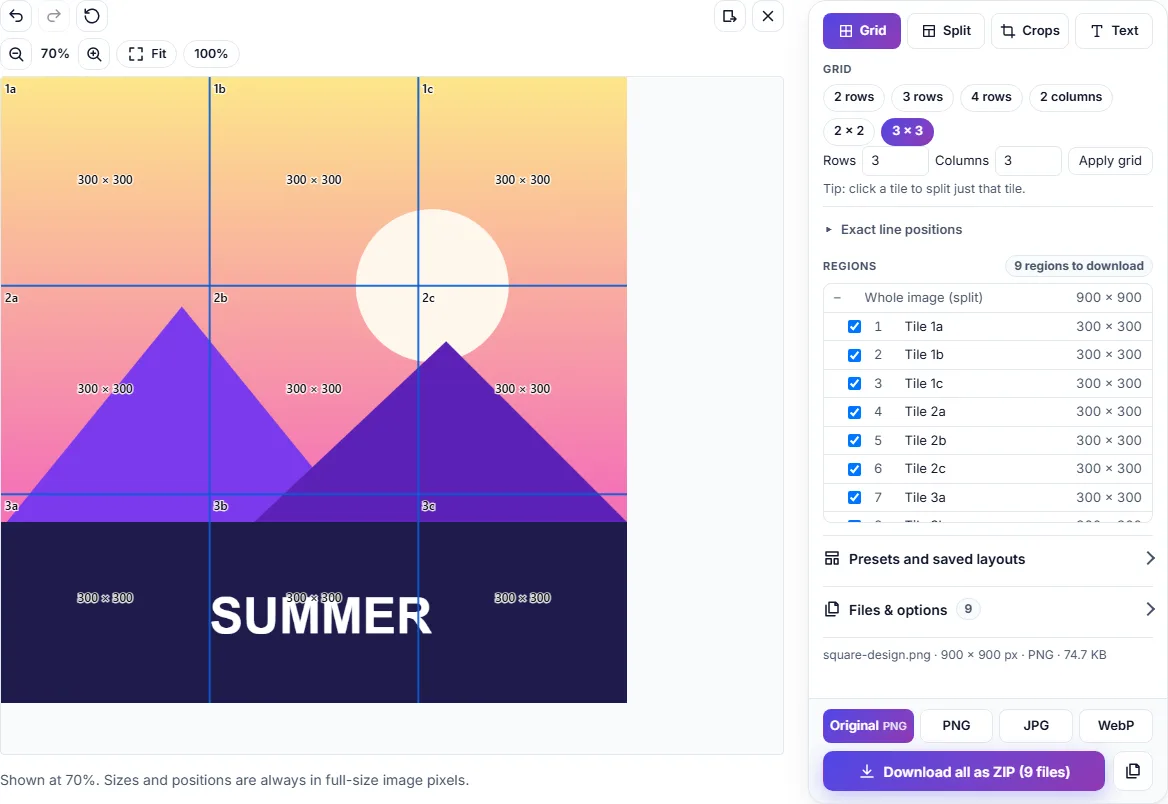
When the size doesn't divide evenly, the extra pixels go to the first rows or columns. A 400 px image in 3 rows becomes 134, 133 and 133 px, so nothing is lost.
Click a tile and split only that tile into its own rows and columns. Moving an outer line resizes the tiles inside it proportionally.
Rows are numbers and columns are letters, level by level: 1, 2a, 2a-1. A 2 × 3 grid gives 1a–1c and 2a–2c.
The preview is scaled to fit your screen, but every download is cut from the original image at its true size.
All of them run in your browser, with no sign-up and no uploads.
Change width and height in pixels or percent.
Make image files smaller.
Convert between JPEG, PNG and WebP.
Add titles, captions and labels.
Free, no sign-up, and the image never leaves your device.
Open the image splitter